
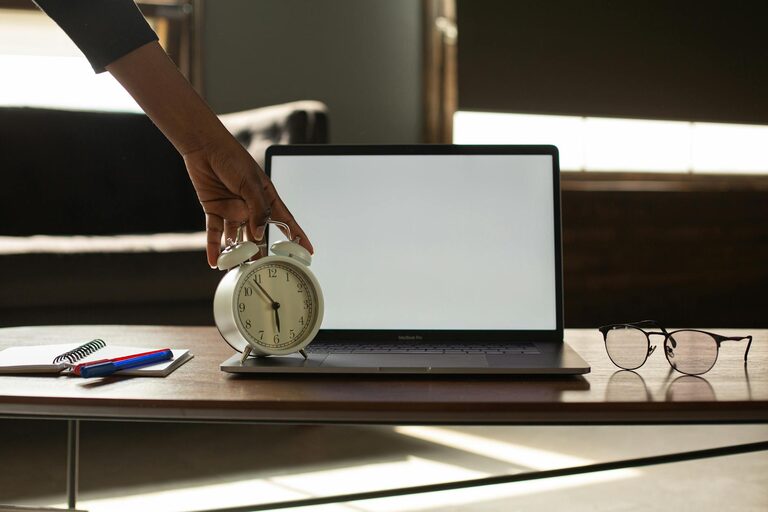
Desk Setup Tips for Focus and Comfort: Enhance Your Workspace
Creating a workspace that promotes both focus and comfort is essential for productivity and well-being. Whether you work from home, in an office, or have a designated study area, the way your desk is set up can significantly impact your concentration and physical comfort. In this post, we’ll explore practical tips to design a desk setup that boosts your focus and keeps you comfortable throughout your workday.
Why Your Desk Setup Matters
A thoughtfully arranged desk can reduce distractions, minimize physical strain, and create an inviting environment that encourages sustained attention. Poor setups can lead to discomfort, fatigue, and decreased productivity. Small changes to your workspace can make a big difference in how you feel and work.
Optimize Your Desk Location and Lighting
Choose the Right Spot
If possible, position your desk near a source of natural light. Natural light helps regulate your body clock, reduces eye strain, and can improve mood.
Avoid areas with excessive glare on your computer screen. If natural light isn’t an option, opt for a well-lit space with adjustable artificial lighting.
Use Adjustable Lighting
Desk lamps with adjustable brightness and color temperature allow you to tailor lighting for different tasks and times of day. Warm light is often better in the evening, while cooler, daylight-like lighting can help keep you alert during the day.
Invest in Ergonomic Furniture
Select a Comfortable Chair
Your chair should support the natural curve of your spine. Look for features like adjustable seat height, lumbar support, and armrests.
Adjust the chair so your feet rest flat on the floor, and your knees are roughly at a 90-degree angle.
Use a Desk at the Right Height
The height of your desk should allow your forearms to rest parallel to the floor while typing or writing.
If possible, consider a sit-stand desk or a desk converter to alternate between sitting and standing positions.
Arrange Your Monitor for Healthy Posture
Position the Monitor Correctly
Place your monitor about an arm’s length away to reduce eye strain.
The top of the screen should be at or slightly below eye level. This encourages a neutral neck position and prevents slouching.
Use a Monitor Stand if Needed
If your monitor is too low, a stand or adjustable arm can help you achieve the right height.
Multiple monitors should be aligned side-by-side, with the primary screen centered in front of you.
Organize Your Desk to Minimize Distractions
Keep Frequently Used Items Within Reach
Place items like your keyboard, mouse, notepad, and pens within easy reach. This reduces unnecessary stretching or twisting.
Declutter Regularly
A tidy desk creates mental clarity and reduces distractions. Limit decorations to a few meaningful or inspirational items.
Use storage boxes, trays, or drawers to keep supplies organized and out of sight.
Manage Cables and Electronics
Use cable organizers or clips to prevent tangled cords on your desk.
Wireless devices can help minimize clutter, but easy access to chargers is also important.
Incorporate Comfort and Personal Touches
Add Ergonomic Accessories
Consider a wrist rest, footrest, or seat cushion to enhance comfort during long work sessions.
Use a keyboard and mouse designed to reduce strain.
Personalize Your Workspace
Include a small plant, a photo, or art that inspires you. A pleasant environment can improve mood and motivation.
Avoid overcrowding your desk with too many personal items, which can become distractions.
Maintain Good Work Habits at Your Desk
Take Breaks and Change Positions
Follow the 20-20-20 rule: every 20 minutes, look at something 20 feet away for 20 seconds to reduce eye strain.
Stand, stretch, or walk around periodically to prevent stiffness and fatigue.
Keep Hydrated and Nourished
Keep a water bottle nearby to stay hydrated throughout the day.
Healthy snacks can help maintain steady energy and focus.
Final Thoughts
A well-planned desk setup is key to creating a workspace that supports focus and comfort. By optimizing lighting, using ergonomic furniture, organizing your desk, and supporting good habits, you can make your workday more productive and enjoyable. Take time to adjust your space to suit your needs, and remember that small improvements add up to big benefits.
Try implementing a few of these tips today and notice the difference in how you work and feel!
